The Tags tab
What it's for
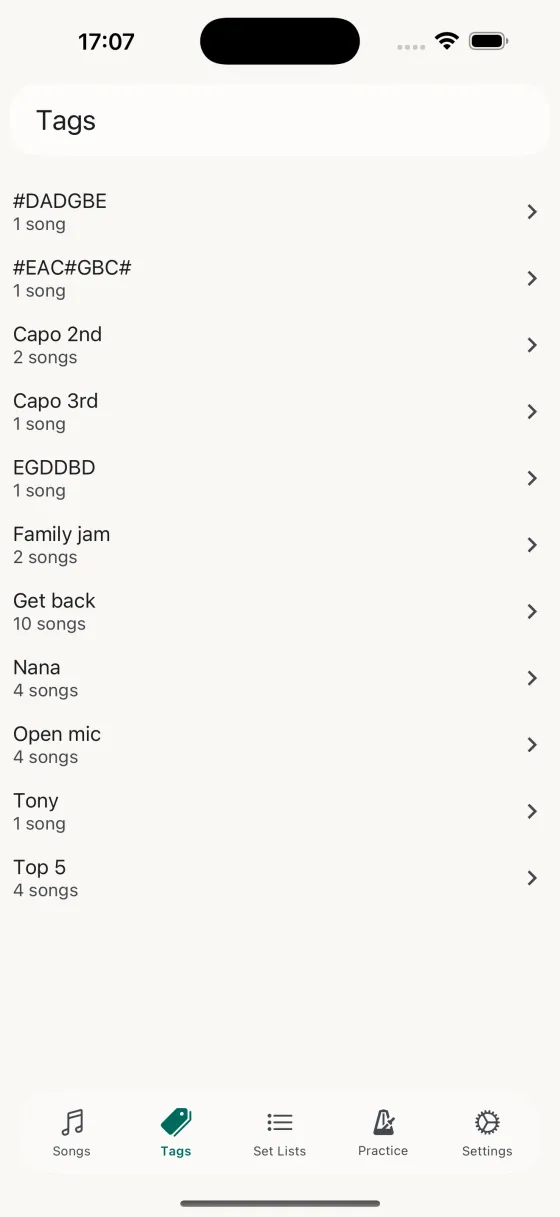
Every tag you've added to a song appears here automatically, with a count of how many songs use it. Tap a tag to jump to a focused view of just those songs.
Gestures on the list
- Tap tagOpen the tag detail — the list of songs with this tag.
- Swipe leftDelete tag — removes the tag from every song that uses it, with a confirmation that names the count.
Inside a tag
Tap a tag and you get a focused song list. Each row swipes for practice-toggle (right) or "remove this tag from this song" (left). Tap the + button to open a picker and add the tag to more songs at once.
Why tags?
Tags are how you group songs for anything other than a specific gig — difficulty, genre, key, "open mic ready", "wedding requests", "early Beatles". Unlike set lists, tags have no order — they're filters, not programmes. The song list filter on the Songs tab multi-selects tags, so you can instantly see, say, every "open mic" song that's also "capo 3".