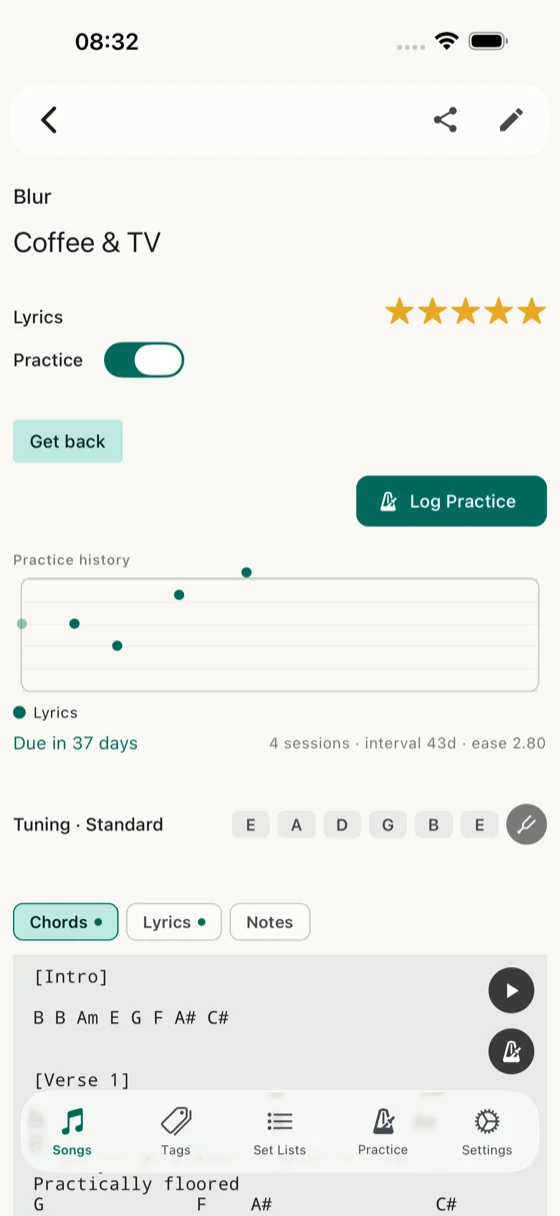
Music axis off — lyrics only, nothing in the way.
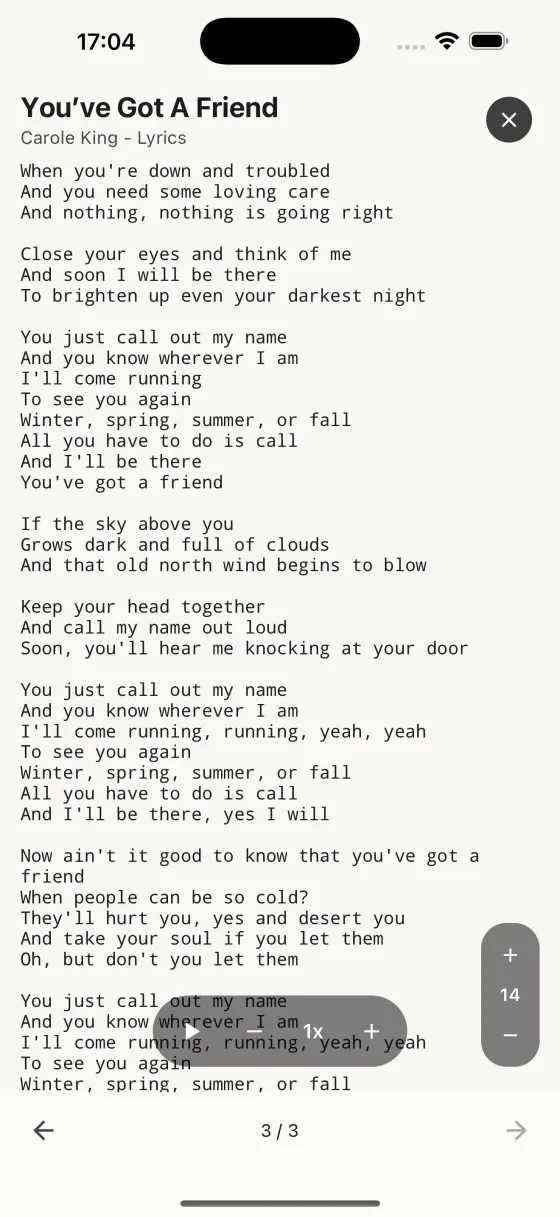
Pinch-zoom lyrics up to 40pt, auto-scroll hands-free.
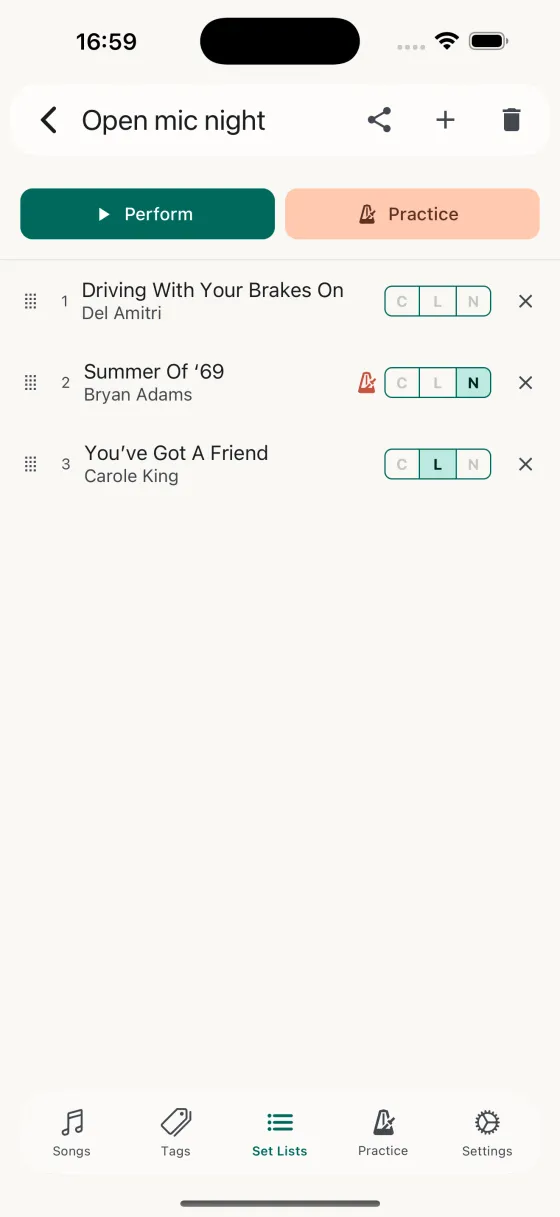
The band's set list, your view — pick lyrics per song.
You sing. The band has the chords covered. Song Hive shows you just the words, big enough to read from the mic stand.
Music axis off — lyrics only, nothing in the way.
Pinch-zoom lyrics up to 40pt, auto-scroll hands-free.
The band's set list, your view — pick lyrics per song.
You're fronting a band, or you're the backing vocalist who also plays a shaker. You don't need a chord chart — your guitarist has it covered. What you need is the words, legible, scrolling at the right speed, with cues for where the second verse starts, where the key changes, where you come in on the harmony. And you need a phone that doesn't lock itself two lines before the last chorus.
Per song or globally, turn off the Music familiarity rating in the song editor. The music row disappears from the editor, the practice-log modal, and the practice history chart — nothing is hidden from you, it's just not in your way anymore. Same under Song Defaults to make the whole library lyrics-only by default.
Pinch to zoom from 8pt to 40pt on the Perform screen. The size sticks per song, so Landslide always opens at the font size where you can read "well, I've been afraid of changin'" from four feet away without leaning in. Auto-scroll handles the hands-free part — pick a speed once, it sticks.
For songs whose lyrics are on LRCLIB, synced auto-scroll drives the page from the song's actual timing — each line hits the page midpoint at the moment you sing it. No speed guess to dial in, no drift between the slow verse and the chorus. The Lyrics tab carries a clock icon when a song's sync-ready; songs that aren't on LRCLIB stay on the regular speed-stepper.
The words you actually sing — the band's arrangement, the extra chorus, the harmony line you took — usually live in a Word doc or a PDF someone emailed round. On the Lyrics tab of the song editor, tap the file icon and pick it: the text lands in the song with its verse breaks intact, ready to scale up on the Perform screen.
Under Settings, Keep screen awake is on by default during Perform. The screen doesn't dim mid-song, doesn't auto-lock between verses, doesn't drop you back to the lock screen right as the bridge is coming up. If it's plugged into a stage-side charger, even better.
Lyrics on top, notes underneath — drag the divider to give yourself two-thirds lyrics, one-third notes. Put harmony cues, key-change markers, and "the guitar solo is 8 bars not 4" in the notes field. Everything visible at once. The ratio sticks as you swipe between songs in the set.
Your guitarist builds a set list with chords as the displayed field. You AirDrop it to yourself and switch your copy's per-song field to Lyrics. Same set, same order, different view. Everyone's on the same page, literally.
Run the whole set end-to-end in Practice mode — Perform with a ⭐ button. Rate each song's lyrics familiarity as you finish it. The weeks before a gig, this is where you find the song that isn't sticking. By the third rehearsal you already know which verse you're not quite landing.