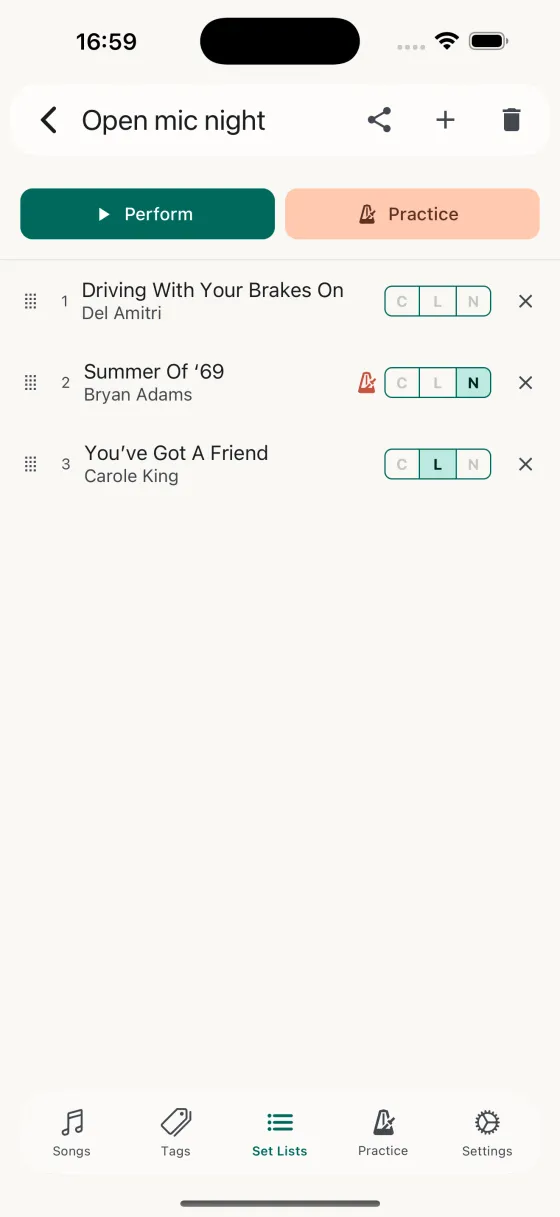
Tonight's set, drag to reorder, three taps from your library.
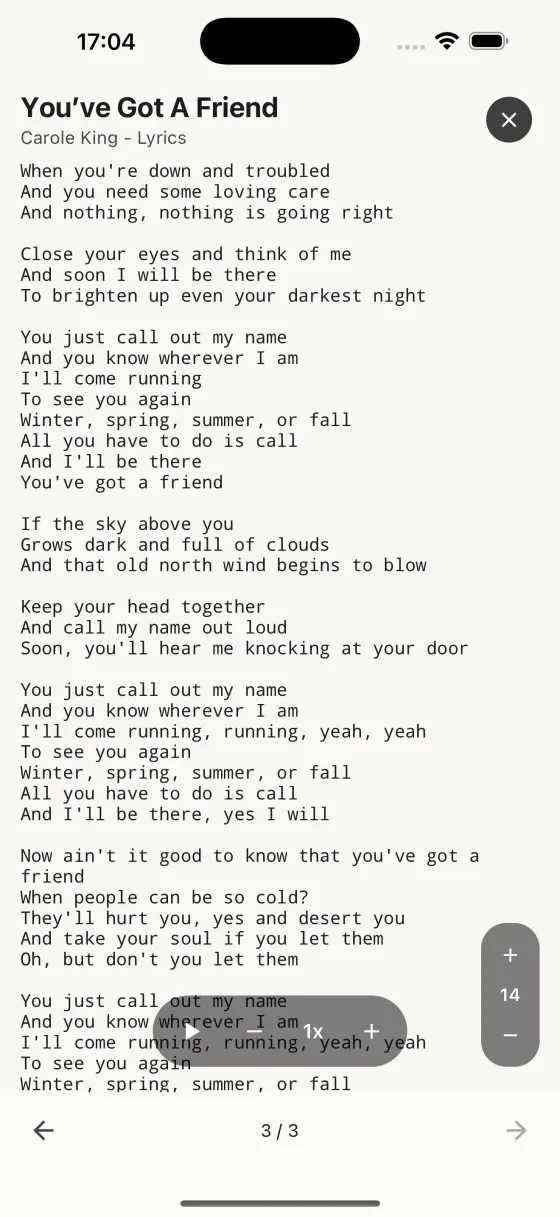
Full-screen Perform mode — position counter, auto-scroll, no drift.
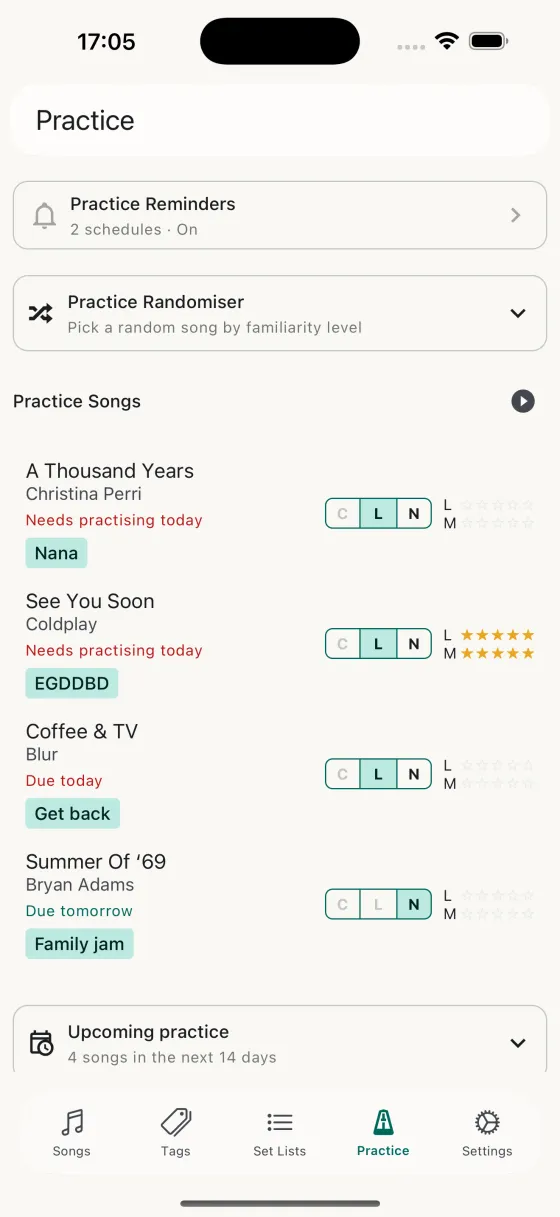
Practice Randomiser for rehearsing the rolling repertoire.
One guitar, a mic, and a rotating set of songs you can pull off on demand.
Tonight's set, drag to reorder, three taps from your library.
Full-screen Perform mode — position counter, auto-scroll, no drift.
Practice Randomiser for rehearsing the rolling repertoire.
You do open-mic nights. Maybe a regular slot, maybe a first-Tuesday-of-the-month. Your set's three to six songs, different every time, pulled from a rolling repertoire of fifteen or twenty that you keep in shape. You need the songs you played last month to still be there when you go back to them — and you need one clean screen on a stage lit by a single bulb.
Build a set list in the morning, drag to reorder, tag each song with the field you want to see on stage — chords, lyrics, or notes. Tonight's set is three taps away from your library. Next week's set starts by duplicating this one and swapping a song.
Perform is the full-screen view you're looking at when the light drops. Swipe between songs in the order of your set, or tap ← → with a spare finger. A position counter at the top — 3 / 6 — tells you how much longer you've got. Auto-scroll hands-free, pinch-zoomed to whatever size you can read from four feet away. Screen stays awake. No notifications. No battery-saver dimming.
For songs that LRCLIB has timing data for, synced auto-scroll locks the page to the song itself — each line hits the page midpoint exactly when it's sung. No speed guess for the slower verse versus the faster chorus; one consistent read-line all the way through. Songs that aren't on LRCLIB stay on the regular speed-stepper, so nothing changes for your own originals or obscure covers.
In the Practice tab, the randomiser draws a song from your library at a familiarity level you pick. Tag your "ready for the stage" songs, filter the randomiser to those, and every rehearsal starts with a song you didn't plan on — exactly what happens when someone requests one at the venue.
Between songs you've got maybe twenty seconds. The built-in tuner lives inside the Perform screen — tap the tuning-fork icon, tune up in standard or whatever the next song needs, close the modal, hit the next song. No app-switching, no unplugging, no dropping out of the set to find a tuner.
Each song's tuning and capo appear as small coloured pills above the chords. You can see before you play whether you need to move the capo — no fumbling between songs because you thought this one was in standard.
If you annotate the harmony line in the notes field, put chords on top and notes underneath in a split view. Drag the divider until the ratio's right. The app remembers it for this song next time.