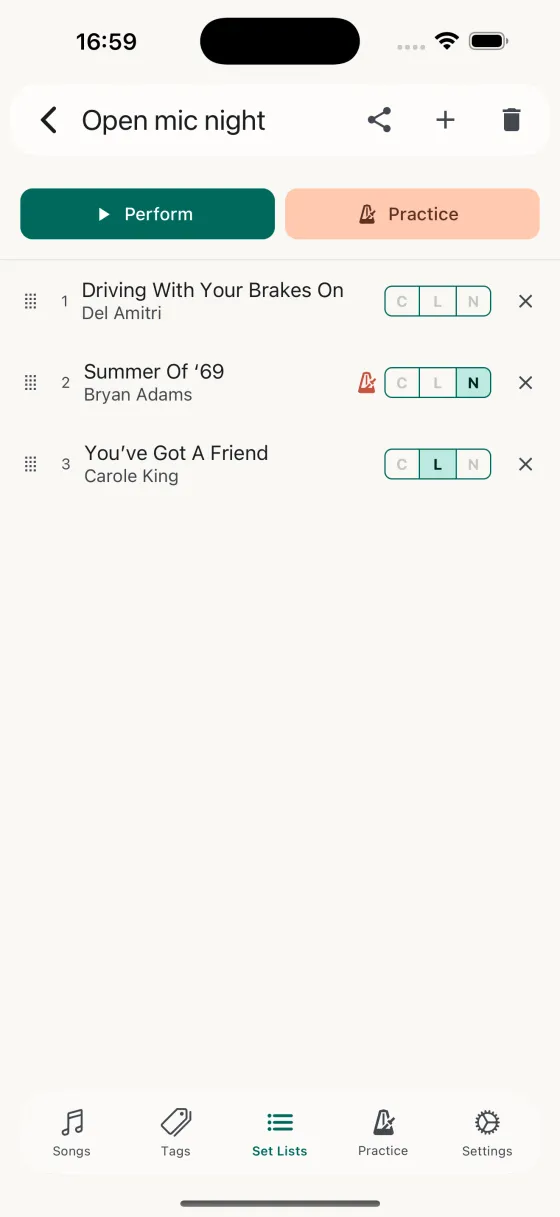
The set, reorderable, per-song chords or lyrics picked.
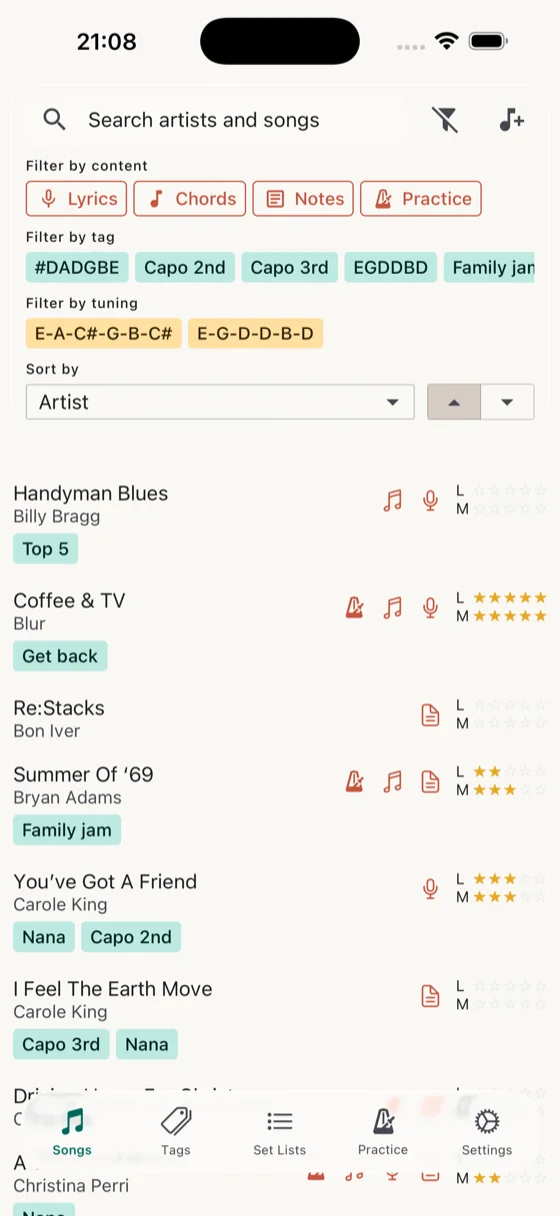
Filter the library by tuning and capo — one setup, one block.
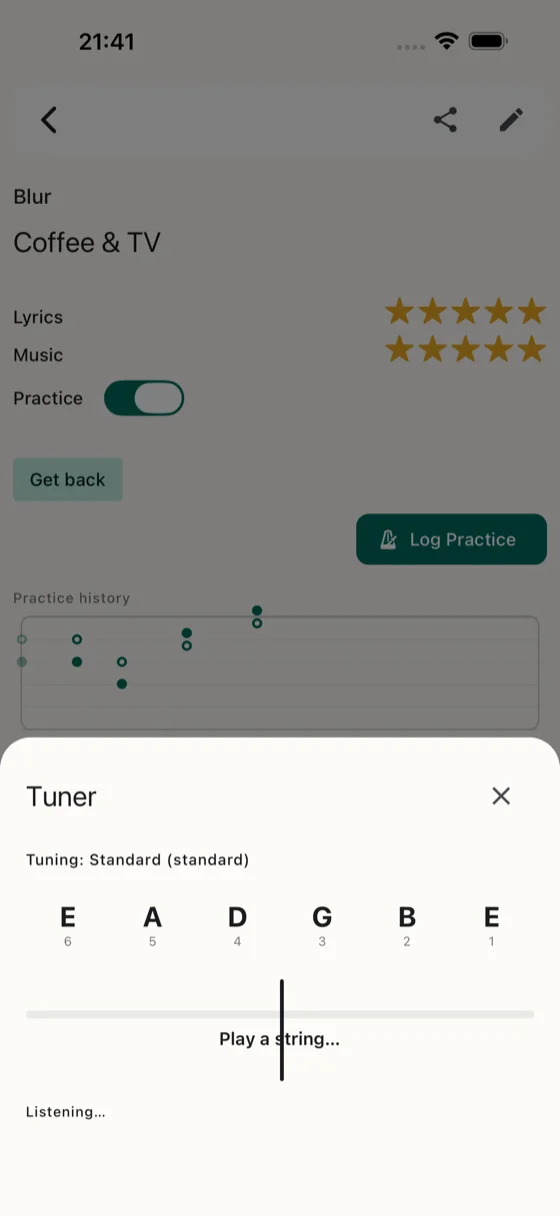
Built-in tuner, on the same screen as the set.
Tight set, shared with the band, tuned and ready before the count-in.
The set, reorderable, per-song chords or lyrics picked.
Filter the library by tuning and capo — one setup, one block.
Built-in tuner, on the same screen as the set.
You're in a band that plays out. Pub gigs, function nights, the odd festival slot. The set's locked in a week ahead of the gig; anyone changing it mid-week sends a message on WhatsApp. You've owned every chord-chart app at some point. What you care about now: one app that keeps the set, gets the tuning right, and doesn't let you down when the first song kicks in.
Build a set list, drag to reorder, pick per-song what you want on-screen — chords for the songs where you can't quite remember the bridge, lyrics for the cover with the second verse you always forget. The set-list detail screen gives you the whole thing at a glance; the Perform screen gives you one song at a time with a position counter.
Finalise the set, AirDrop the .songhive file to your bandmates. Their copy of Song Hive merges it — new songs come in, existing songs don't overwrite the tags or familiarity ratings they've built up. If your drummer already knows Landslide at five stars, the merge doesn't drag it back down to three.
Tuning and capo are first-class fields — a wheel picker for the strings, a chip picker for the capo. Paste an Ultimate Guitar link for a tune in DADGAD with a capo on 2 and the imported song lands with both set. Colour-coded pills on the play page tell you before the downbeat whether to re-tune.
Building a set where you want to avoid touching the tuners between songs? Filter the song list by Tuning: Standard, Capo: 2 — every song you can play back to back. Drop the capo for the next block. It's the difference between a tidy twenty-minute set and one with four pauses for tuning.
Tuning-fork icon sits in the header of every Perform screen. Tap it — a mic-driven tuner slides up, targets the song's tuning, shows a live cents needle. Standard tuning for the first song, Drop D for the third, half-step-down for the fourth — the tuner matches whatever the current song needs. No app switching. No clip-on battery dying mid-set.
Paste a Spotify album or playlist URL — Song Hive imports the track list into a new set. Chords, lyrics, tuning, and capo don't come with it (Spotify doesn't have them), but the skeleton's there to fill in — and on the way in the app reuses existing songs from your library, so you don't end up with two copies of Wonderwall.
Export your song list from BandHelper's website and import it into Song Hive in one go. Titles, artists, tags, tempo, lyrics, chords and notes come across, and every custom field you built up — stage cues, backing-track names, who sings lead — arrives as a custom field of the same name on every song. The set lists you'll rebuild; the repertoire you won't.
For any song where LRCLIB has time-stamped lyrics, synced auto-scroll drives the page from the song's own timing — each lyric line hits the page midpoint as it's sung, and the chord sheet rolls in step. No more dialling in a different speed for the slow verse and the fast chorus; no more drift over a four-minute song. Auto-scroll falls back to the regular 0.25x–4x speed stepper when synced data isn't there, so nothing changes for songs that aren't on LRCLIB.
Rehearse on the iPad, gig on the iPhone — iCloud keeps them in lockstep. Songs, set lists, tags, familiarity, font sizes, capo positions, and the synced-lyrics timing too. No export steps, no manual transfers.